User manualபயனர் கையேடு · Office: Plan / WorkOffice: திட்டம் / வேலை (Plan / Work)
Sales Planவிற்பனைத் திட்டம் (Sales Plan)
Set a salesman's clients, days and sales target for a period, and track visits, bills and pace against the target.ஒரு காலத்துக்கு விற்பனைப் பிரதிநிதியின் வாடிக்கையாளர்கள், நாட்கள், விற்பனை இலக்கை அமையுங்க; சந்திப்புகள், பில்கள், வேகத்தை இலக்குக்கு எதிராகக் கண்காணியுங்க.
- Where to find itஎங்கே இருக்கிறது
- Office → Plan / Work → Sales Plan
- Who uses itயார் பயன்படுத்துவார்கள்
- Owner, Adminஉரிமையாளர், நிர்வாகி
A sales plan gives a salesman a set of clients, the days to work them and a target value. Its clients show in the salesman's beat in Score. Plan summary shows how much was achieved and whether the plan is on pace.
What you see
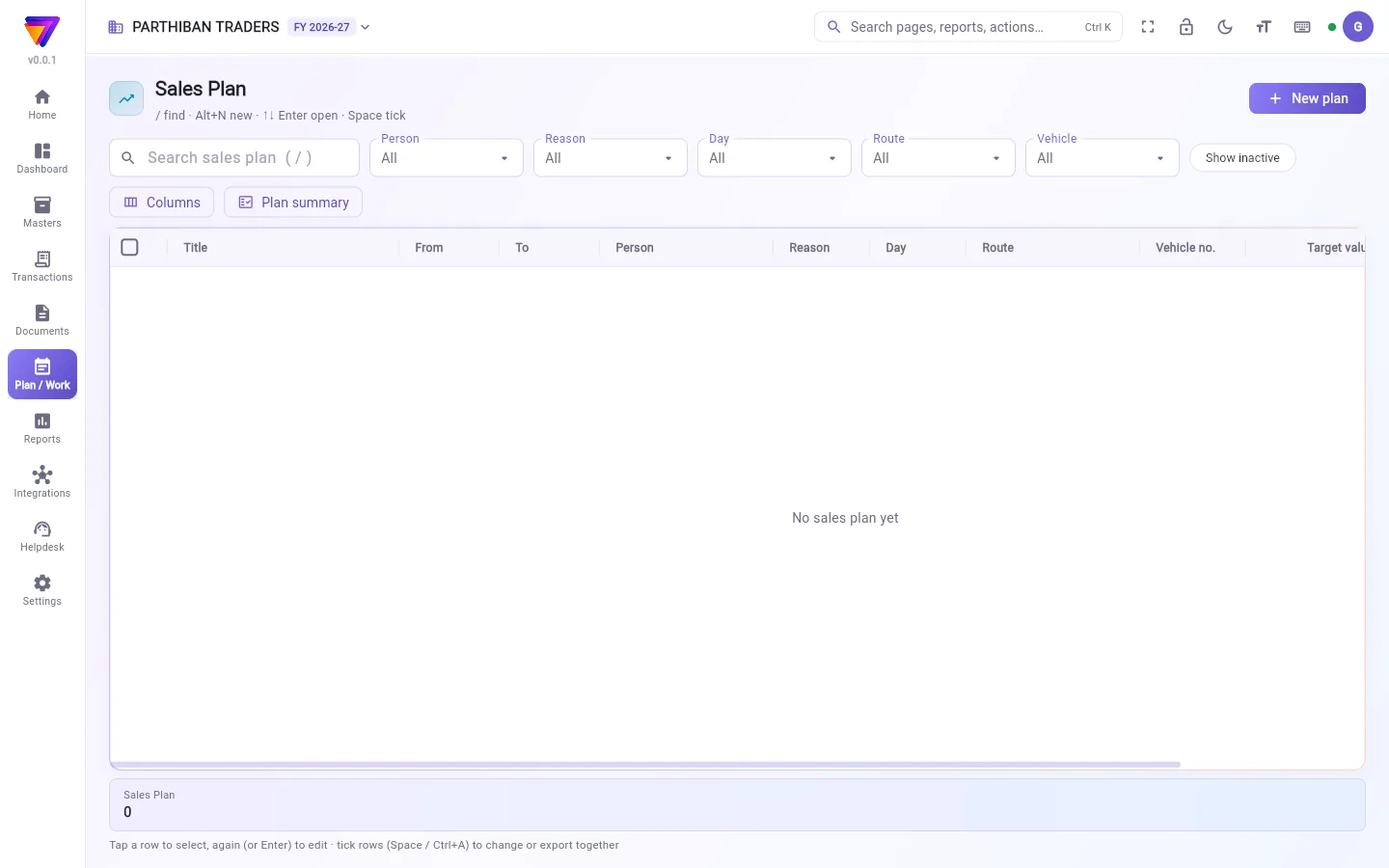
- A search box and the filters Person, Reason, Day, Route and Vehicle, plus Show inactive.
- Columns and Plan summary.
- The table: Title, From, To, Person, Reason, Day, Route, Vehicle no., Target value and more.
Make a sales plan
- Click New plan.
- Enter a Title, the From date and, if the plan runs over days, the To date.
- Choose the Person.
- Set Reason to Sale.
- Choose a Route, or pick the Clients one by one. A client list is used instead of the route.
- Choose a Day for a weekly plan, or leave Any day.
- Enter the Target value.
- Click Add plan.
The plan has the same fields as an order plan. See Order Plan for the full list.
Track the target
- Click Plan summary.
- Set From, To and Person.
- On Progress, read Achieved, Target value and Achieved %. Pace compares what is achieved with the share of the plan's days gone: Target reached, On track, Behind, Target missed or No target.
- On Visits, see each planned client and day: visited or not, and the order placed.
For a plan with reason Sale or Visit, Achieved is the sales value. For Collection, it is the money collected.
Good to know
- Sales Plan comes with the Pro · Large Stockist and Enterprise plans.
- Score shows a plan only to the employee in Person.
- To take a plan off the beat, set Status to Done or Dropped. Make inactive alone does not do this.
- Plans cannot be deleted; make them inactive instead.
Related
- Order Plan: all plan fields explained.
- Target: monthly sales targets per salesman.
- Plans in Score: the salesman's beat.
- Reports: Sales by Salesman and Salesman Sales & Collection.
விற்பனைத் திட்டம் ஒரு விற்பனைப் பிரதிநிதிக்குச் சில வாடிக்கையாளர்கள், அவர்களைச் சந்திக்க வேண்டிய நாட்கள், ஒரு இலக்கு மதிப்பு ஆகியவற்றைக் கொடுக்கும். அதன் வாடிக்கையாளர்கள் Score-இல் அந்தப் பிரதிநிதியின் பீட்டில் (beat) தெரிவார்கள். எவ்வளவு அடைந்தது, திட்டம் சரியான வேகத்தில் போகிறதா என்று திட்டச் சுருக்கம் (Plan summary) காட்டும்.
திரையில் என்ன தெரியும்
- ஒரு தேடல் பெட்டியும், நபர் (Person), காரணம் (Reason), நாள் (Day), வழித்தடம் (Route), வாகனம் (Vehicle) வடிகட்டிகளும், கூடவே செயலற்றவற்றையும் காட்டு (Show inactive).
- நெடுவரிசைகள் (Columns), திட்டச் சுருக்கம் (Plan summary).
- அட்டவணை: தலைப்பு (Title), முதல் (From), வரை (To), நபர் (Person), காரணம் (Reason), நாள் (Day), வழித்தடம் (Route), வாகன எண் (Vehicle no.), இலக்கு மதிப்பு (Target value) மற்றும் பல.
விற்பனைத் திட்டம் போடுவது
- புதிய திட்டம் (New plan) கிளிக் செய்யுங்க.
- ஒரு தலைப்பு (Title), முதல் (From) தேதி போடுங்க; திட்டம் பல நாட்கள் ஓடும் என்றால் வரை (To) தேதியும் போடுங்க.
- நபர் (Person) தேர்ந்தெடுங்க.
- காரணம் (Reason)-ஐ விற்பனை (Sale) என்று அமையுங்க.
- ஒரு வழித்தடம் (Route) தேர்ந்தெடுங்க, அல்லது வாடிக்கையாளர்கள் (Clients)-ஐ ஒவ்வொருவராகத் தேர்ந்தெடுங்க. வாடிக்கையாளர் பட்டியல் போட்டால், வழித்தடத்துக்குப் பதிலாக அது எடுத்துக்கொள்ளப்படும்.
- வாரத் திட்டத்துக்கு ஒரு நாள் (Day) தேர்ந்தெடுங்க, அல்லது எந்த நாளும் (Any day) என்றே விடுங்க.
- இலக்கு மதிப்பு (Target value) போடுங்க.
- திட்டம் சேர் (Add plan) கிளிக் செய்யுங்க.
இந்தத் திட்டத்தில் ஆர்டர் திட்டத்தின் அதே புலங்கள்தான். முழுப் பட்டியலுக்கு ஆர்டர் திட்டம் (Order Plan) பாருங்க.
இலக்கைக் கண்காணிப்பது
- திட்டச் சுருக்கம் (Plan summary) கிளிக் செய்யுங்க.
- முதல் (From), வரை (To), நபர் (Person) அமையுங்க.
- முன்னேற்றம் (Progress)-இல் அடைந்தது (Achieved), இலக்கு மதிப்பு (Target value), எட்டியது % (Achieved %) பாருங்க. வேகம் (Pace) அடைந்ததைத் திட்டத்தின் கடந்துபோன நாட்களின் பங்குடன் ஒப்பிடும்: இலக்கு அடைந்தது (Target reached), சரியான வேகத்தில் (On track), பின்தங்கியுள்ளது (Behind), இலக்கு தவறியது (Target missed) அல்லது இலக்கு இல்லை (No target).
- சந்திப்புகள் (Visits)-இல் திட்டமிட்ட ஒவ்வொரு வாடிக்கையாளரையும் நாளையும் பாருங்க: சந்தித்தாரா இல்லையா, போட்ட ஆர்டர்.
காரணம் விற்பனை (Sale) அல்லது சந்திப்பு (Visit) உள்ள திட்டத்துக்கு, அடைந்தது (Achieved) என்பது விற்பனை மதிப்பு. வசூல் (Collection)-க்கு அது வசூலான பணம்.
தெரிந்துகொள்ள வேண்டியது
- விற்பனைத் திட்டம் Pro · பெரிய ஸ்டாக்கிஸ்ட், என்டர்பிரைஸ் பிளான்களில் வரும்.
- Score ஒரு திட்டத்தை நபர் (Person)-இல் உள்ள பணியாளருக்கு மட்டுமே காட்டும்.
- திட்டத்தைப் பீட்டிலிருந்து எடுக்க, நிலை (Status)-ஐ முடிந்தது (Done) அல்லது கைவிடப்பட்டது (Dropped) என்று அமையுங்க. செயலற்றதாக்கு (Make inactive) மட்டும் இதைச் செய்யாது.
- திட்டங்களை நீக்க முடியாது; அதற்குப் பதிலாகச் செயலற்றதாக்குங்க.
தொடர்புடையவை
- ஆர்டர் திட்டம் (Order Plan): திட்டத்தின் எல்லாப் புலங்களும் விளக்கத்துடன்.
- இலக்கு (Target): ஒவ்வொரு விற்பனைப் பிரதிநிதிக்கும் மாதாந்திர விற்பனை இலக்குகள்.
- Score-இல் திட்டங்கள் (Plans in Score): விற்பனைப் பிரதிநிதியின் பீட்.
- அறிக்கைகள் (Reports): விற்பனைப் பிரதிநிதி வாரியான விற்பனை (Sales by Salesman), விற்பனைப் பிரதிநிதி விற்பனை & வசூல் (Salesman Sales & Collection).