User manualபயனர் கையேடு · Office: MastersOffice: முதன்மைப் பதிவுகள் (Masters)
Goalகுறிக்கோள் (Goal)
Write down goals for your staff, such as new clients or collection in a period, with an owner and a value.ஒரு காலத்தில் புதிய வாடிக்கையாளர்கள் அல்லது வசூல் போன்ற குறிக்கோள்களை, ஒரு பொறுப்பாளருடனும் ஒரு மதிப்புடனும், உங்க ஊழியர்களுக்கு எழுதி வையுங்க.
- Where to find itஎங்கே இருக்கிறது
- Office → Masters → Goal
- Who uses itயார் பயன்படுத்துவார்கள்
- Owner, Adminஉரிமையாளர், நிர்வாகி
A goal is a number you want a person to reach in a period, such as 10 new clients this month. This page keeps the list of goals for your team.
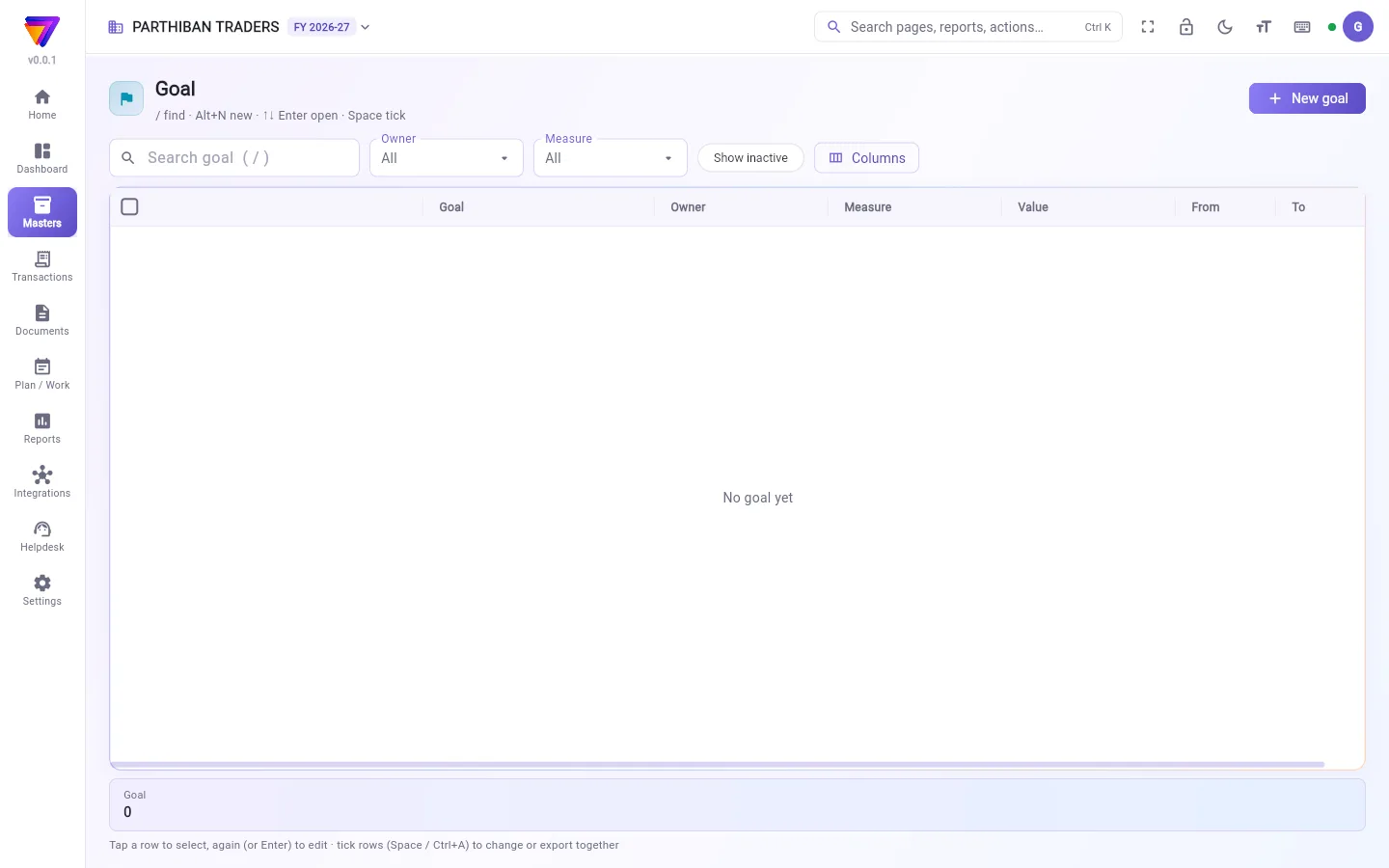
What you see
- A search box, and filters for Owner and Measure.
- Show inactive and Columns.
- A table with Goal, Owner, Measure, Value, From and To.
- New goal at the top right.
Add a goal
- Click New goal (or press Alt+N).
- Type the Goal, for example "New shops in October".
- Pick the Owner: the person the goal is for.
- Pick the Measure: New clients, Clients billed, Collection or Lines per bill.
- Type the Value to reach.
- Pick the From and To dates.
- Click Add goal.
"From" cannot be after "To". The form says "From" is after "To" if it is.
Fields
| Field | What to enter |
|---|---|
| Goal (required) | A short name for the goal. |
| Owner | The employee the goal is for. |
| Measure | What is counted. |
| Value | The number to reach. |
| From / To | The period. |
Who can do what
- The Sales role can see goals but not change them.
- Goals cannot be deleted. Open a goal to change it.
Good to know
- Comes with the Pro plan and above.
- In this version, goals are a list for your team. No report and no Score screen counts progress against them.
- The My incentive goals list in the Score app comes from Incentive rules, not from this page. Plans the office makes for a person also show there with their progress.
- For a sales amount per salesman, use Target. It shows in the Sales by Salesman report.
Related
- Target: sales targets with a report.
- Incentive: rules that pay staff.
- Goals and incentives in Score: what staff see on their phone.
குறிக்கோள் என்பது ஒருவர் ஒரு காலத்தில் எட்ட வேண்டும் என்று நீங்க விரும்பும் ஒரு எண், உதாரணமாக இந்த மாதம் 10 புதிய வாடிக்கையாளர்கள். இந்தப் பக்கம் உங்க குழுவுக்கான குறிக்கோள்களின் பட்டியலை வைத்திருக்கும்.
திரையில் என்ன தெரியும்
- ஒரு தேடல் பெட்டி, உரிமையாளர் (Owner), அளவீடு (Measure) வடிகட்டிகள்.
- செயலற்றவற்றையும் காட்டு (Show inactive), நெடுவரிசைகள் (Columns).
- குறிக்கோள் (Goal), உரிமையாளர் (Owner), அளவீடு (Measure), மதிப்பு (Value), முதல் (From), வரை (To) உள்ள ஒரு அட்டவணை.
- மேலே வலது பக்கம் புதிய குறிக்கோள் (New goal).
குறிக்கோள் சேர்க்க
- புதிய குறிக்கோள் (New goal)-ஐ கிளிக் செய்யுங்க (அல்லது Alt+N அழுத்துங்க).
- குறிக்கோள் (Goal) டைப் செய்யுங்க, உதாரணமாக "அக்டோபரில் புதிய கடைகள்".
- உரிமையாளர் (Owner) தேர்ந்தெடுங்க: குறிக்கோள் யாருக்கானது.
- அளவீடு (Measure) தேர்ந்தெடுங்க: புதிய வாடிக்கையாளர்கள் (New clients), பில் போட்ட வாடிக்கையாளர்கள் (Clients billed), வசூல் (Collection) அல்லது பில்லுக்கு வரிகள் (Lines per bill).
- எட்ட வேண்டிய மதிப்பு (Value) டைப் செய்யுங்க.
- முதல் (From), வரை (To) தேதிகளைத் தேர்ந்தெடுங்க.
- குறிக்கோள் சேர் (Add goal) கிளிக் செய்யுங்க.
"முதல்" தேதி "வரை" தேதிக்குப் பிறகு இருக்கக் கூடாது. அப்படி இருந்தால் படிவம் "முதல்" தேதி "வரை" தேதிக்குப் பின் உள்ளது ("From" is after "To") என்று சொல்லும்.
புலங்கள் (Fields)
| புலம் | என்ன நிரப்ப வேண்டும் |
|---|---|
| குறிக்கோள் (Goal) (கட்டாயம்) | குறிக்கோளுக்கு ஒரு சிறிய பெயர். |
| உரிமையாளர் (Owner) | குறிக்கோள் யாருக்கானது, அந்தப் பணியாளர். |
| அளவீடு (Measure) | எது எண்ணப்படுகிறது. |
| மதிப்பு (Value) | எட்ட வேண்டிய எண். |
| முதல் (From) / வரை (To) | காலம். |
யார் என்ன செய்யலாம்
- விற்பனை (Sales) பொறுப்பில் உள்ளவர்கள் குறிக்கோள்களைப் பார்க்கலாம், ஆனால் மாற்ற முடியாது.
- குறிக்கோள்களை நீக்க முடியாது. மாற்ற வேண்டுமென்றால், குறிக்கோளைத் திறந்து மாற்றுங்க.
தெரிந்துகொள்ள வேண்டியது
- Pro பிளானிலும் அதற்கு மேலும் கிடைக்கும்.
- இந்தப் பதிப்பில், குறிக்கோள்கள் உங்க குழுவுக்கான ஒரு பட்டியல் மட்டுமே. அவற்றுக்கு எதிரான முன்னேற்றத்தை எந்த அறிக்கையும் எந்த Score திரையும் எண்ணாது.
- Score ஆப்-இல் உள்ள என் ஊக்கத்தொகை இலக்குகள் (My incentive goals) பட்டியல் ஊக்கத்தொகை (Incentive) விதிகளிலிருந்து வருகிறது, இந்தப் பக்கத்திலிருந்து அல்ல. அலுவலகம் ஒருவருக்கு உருவாக்கும் திட்டங்களும் அவற்றின் முன்னேற்றத்துடன் அங்கே தெரியும்.
- ஒவ்வொரு விற்பனைப் பிரதிநிதிக்குமான விற்பனைத் தொகைக்கு, இலக்கு (Target) பயன்படுத்துங்க. அது விற்பனைப் பிரதிநிதி வாரியான விற்பனை (Sales by Salesman) அறிக்கையில் தெரியும்.
தொடர்புடையவை
- இலக்கு (Target): அறிக்கையுடன் கூடிய விற்பனை இலக்குகள்.
- ஊக்கத்தொகை (Incentive): ஊழியர்களுக்குப் பணம் தரும் விதிகள்.
- Score-இல் இலக்குகளும் ஊக்கத்தொகைகளும் (Goals and incentives in Score): ஊழியர்கள் தங்கள் போனில் பார்ப்பது.