User manualபயனர் கையேடு · Office: DocumentsOffice: ஆவணங்கள் (Documents)
Agreementஒப்பந்தம் (Agreement)
Keep a list of your agreements with companies and parties, with dates, value, status and terms.நிறுவனங்களுடனும் தரப்பினர்களுடனும் உள்ள உங்கள் ஒப்பந்தங்களை, தேதிகள், மதிப்பு, நிலை, நிபந்தனைகளுடன் ஒரே பட்டியலில் வையுங்க.
- Where to find itஎங்கே இருக்கிறது
- Office → Documents → Agreement
- Who uses itயார் பயன்படுத்துவார்கள்
- Owner, officeஉரிமையாளர், அலுவலகம்
Agreement is a simple list of your agreements, for example a distribution agreement with a company. It keeps the dates, the value and the terms in one place.
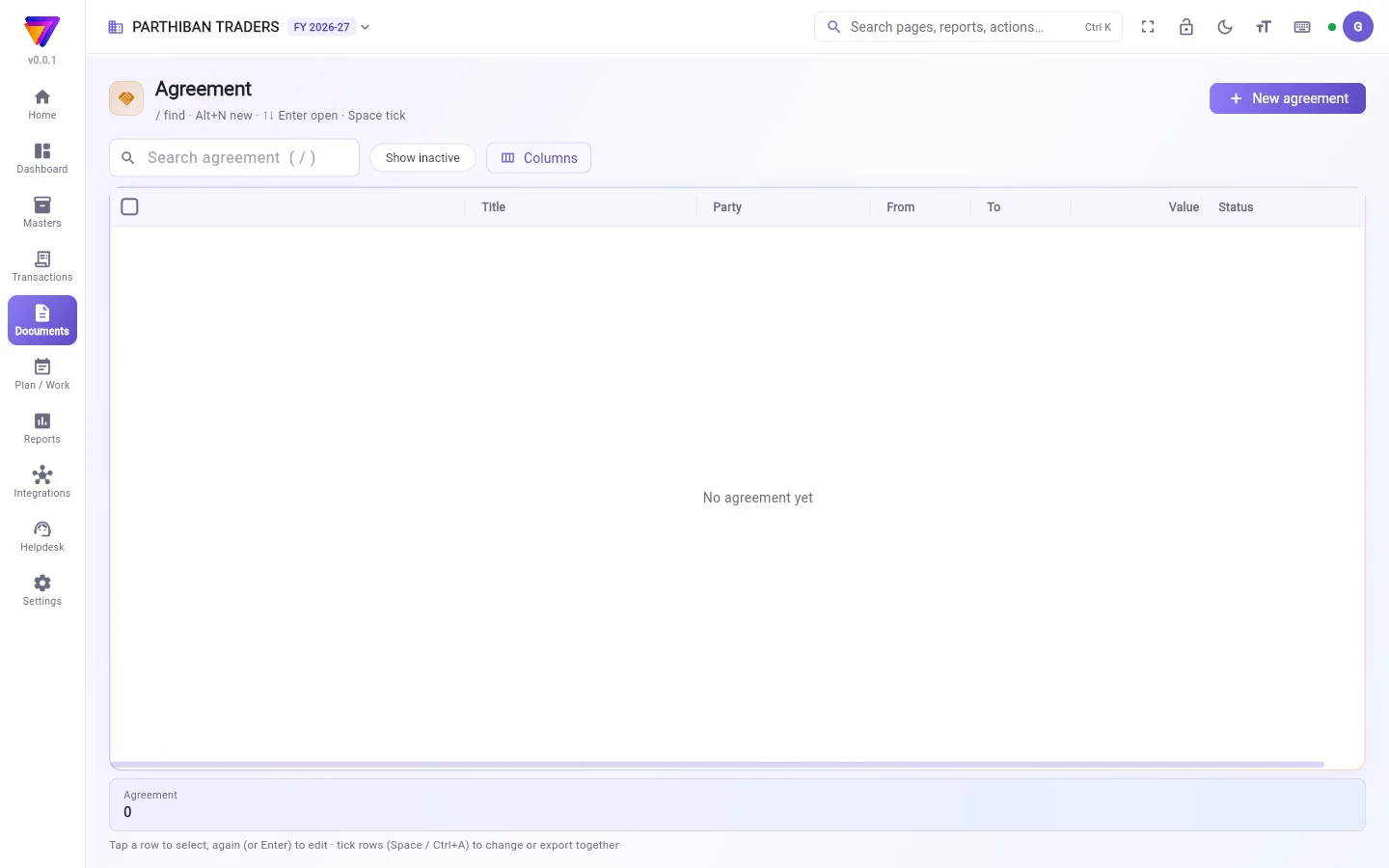
What you see
The list shows Title, Party, From, To, Value and Status. Search with Search agreement. Tap Show inactive to see agreements you made inactive. Use Columns to choose what shows.
Add an agreement
- Click New agreement.
- Type the Title.
- Choose the Party.
- Set From and To.
- Type the Value.
- Choose the Status.
- Write the Terms.
- Click Add agreement. To add another straight away, click Save & new.
Fields
| Field | What to enter |
|---|---|
| Title | A name for the agreement. Required. |
| Party | Who the agreement is with. |
| From, To | When it starts and ends. |
| Value | The amount of the agreement, if any. |
| Status | Draft, Active, Expired or Ended. New agreements start as Active. |
| Terms | The main terms, in your own words. |
Change or close an agreement
- Click the row to select it, then click it again (or press Enter).
- Change what you need and click Save.
To hide or bring back many at once, tick them. Then click Make inactive or Make active.
Who can do what
- Owner and Admin can add and change agreements.
- The Viewer / Auditor role can see them.
Good to know
- Available on the Pro plan and above.
- The status does not change by itself. When an agreement ends, set Expired or Ended yourself.
- Agreements cannot be deleted. Make one inactive to hide it.
- Agreements do not touch your books.
Related
- Compliance: licences and filings with a due date.
- Vendor: the companies you buy from.
ஒப்பந்தம் என்பது உங்கள் ஒப்பந்தங்களின் எளிய பட்டியல், உதாரணமாக ஒரு நிறுவனத்துடன் உள்ள ஸ்டாக்கிஸ்ட் ஒப்பந்தம். தேதிகள், மதிப்பு, நிபந்தனைகள் எல்லாம் ஒரே இடத்தில் இருக்கும்.
திரையில் என்ன தெரியும்
பட்டியலில் தலைப்பு (Title), தரப்பினர் (Party), முதல் (From), வரை (To), மதிப்பு (Value), நிலை (Status) தெரியும். Search agreement (ஒப்பந்தம் தேட) பெட்டியில் தேடுங்க. செயலற்றதாக்கிய ஒப்பந்தங்களைப் பார்க்க செயலற்றவற்றையும் காட்டு (Show inactive) தட்டுங்க. எதைக் காட்ட வேண்டும் என்று தேர்ந்தெடுக்க நெடுவரிசைகள் (Columns) பயன்படுத்துங்க.
ஒப்பந்தம் சேர்ப்பது
- புதிய ஒப்பந்தம் (New agreement) கிளிக் செய்யுங்க.
- தலைப்பு (Title) டைப் செய்யுங்க.
- தரப்பினர் (Party) தேர்ந்தெடுங்க.
- முதல் (From), வரை (To) அமையுங்க.
- மதிப்பு (Value) டைப் செய்யுங்க.
- நிலை (Status) தேர்ந்தெடுங்க.
- நிபந்தனைகள் (Terms) எழுதுங்க.
- ஒப்பந்தம் சேர் (Add agreement) கிளிக் செய்யுங்க. உடனே இன்னொன்று சேர்க்க சேமித்து புதியது (Save & new) கிளிக் செய்யுங்க.
புலங்கள் (Fields)
| புலம் | என்ன போட வேண்டும் |
|---|---|
| தலைப்பு (Title) | ஒப்பந்தத்துக்கு ஒரு பெயர். கட்டாயம். |
| தரப்பினர் (Party) | யாருடன் ஒப்பந்தம். |
| முதல், வரை (From, To) | எப்போது தொடங்கி எப்போது முடிகிறது. |
| மதிப்பு (Value) | ஒப்பந்தத் தொகை, ஏதாவது இருந்தால். |
| நிலை (Status) | வரைவு (Draft), செயலில் (Active), காலாவதியானது (Expired) அல்லது முடிந்தது (Ended). புதிய ஒப்பந்தங்கள் செயலில் (Active) என்று தொடங்கும். |
| நிபந்தனைகள் (Terms) | முக்கிய நிபந்தனைகள், உங்கள் சொந்த வார்த்தைகளில். |
ஒப்பந்தத்தை மாற்றுவது அல்லது மூடுவது
- வரிசையைத் தேர்ந்தெடுக்க ஒருமுறை கிளிக் செய்து, மீண்டும் கிளிக் செய்யுங்க (அல்லது Enter அழுத்துங்க).
- தேவையானதை மாற்றி சேமி (Save) கிளிக் செய்யுங்க.
பலவற்றை ஒரே நேரத்தில் மறைக்க அல்லது மீண்டும் கொண்டுவர, அவற்றை டிக் செய்யுங்க. பிறகு செயலற்றதாக்கு (Make inactive) அல்லது செயலில் ஆக்கு (Make active) கிளிக் செய்யுங்க.
யார் என்ன செய்யலாம்
- உரிமையாளர், நிர்வாகி (Owner, Admin) ஒப்பந்தங்களைச் சேர்க்கலாம், மாற்றலாம்.
- பார்வையாளர் / தணிக்கையாளர் (Viewer / Auditor) பொறுப்பு அவற்றைப் பார்க்கலாம்.
தெரிந்துகொள்ள வேண்டியது
- Pro பிளானிலும் அதற்கு மேலும் கிடைக்கும்.
- நிலை தானாக மாறாது. ஒப்பந்தம் முடிந்ததும், நீங்களே காலாவதியானது (Expired) அல்லது முடிந்தது (Ended) என்று அமையுங்க.
- ஒப்பந்தங்களை நீக்க முடியாது. மறைக்க, செயலற்றதாக்குங்க.
- ஒப்பந்தங்கள் உங்கள் கணக்குகளைத் தொடாது.
தொடர்புடையவை
- இணக்கம் (Compliance): கடைசி தேதியுடன் உள்ள உரிமங்களும் தாக்கல்களும்.
- சப்ளையர் (Vendor): நீங்கள் வாங்கும் நிறுவனங்கள்.